Well, I think I am not clear...
In fact, the first thing you might want to confirm to me (because i am not sure I am right) is that in my case (with several loops in my form) I cannot really use Aggregate server to export my submissions and get all my data. Because the loops will not be shown in separate csv files, and instead I will get only one csv file like this
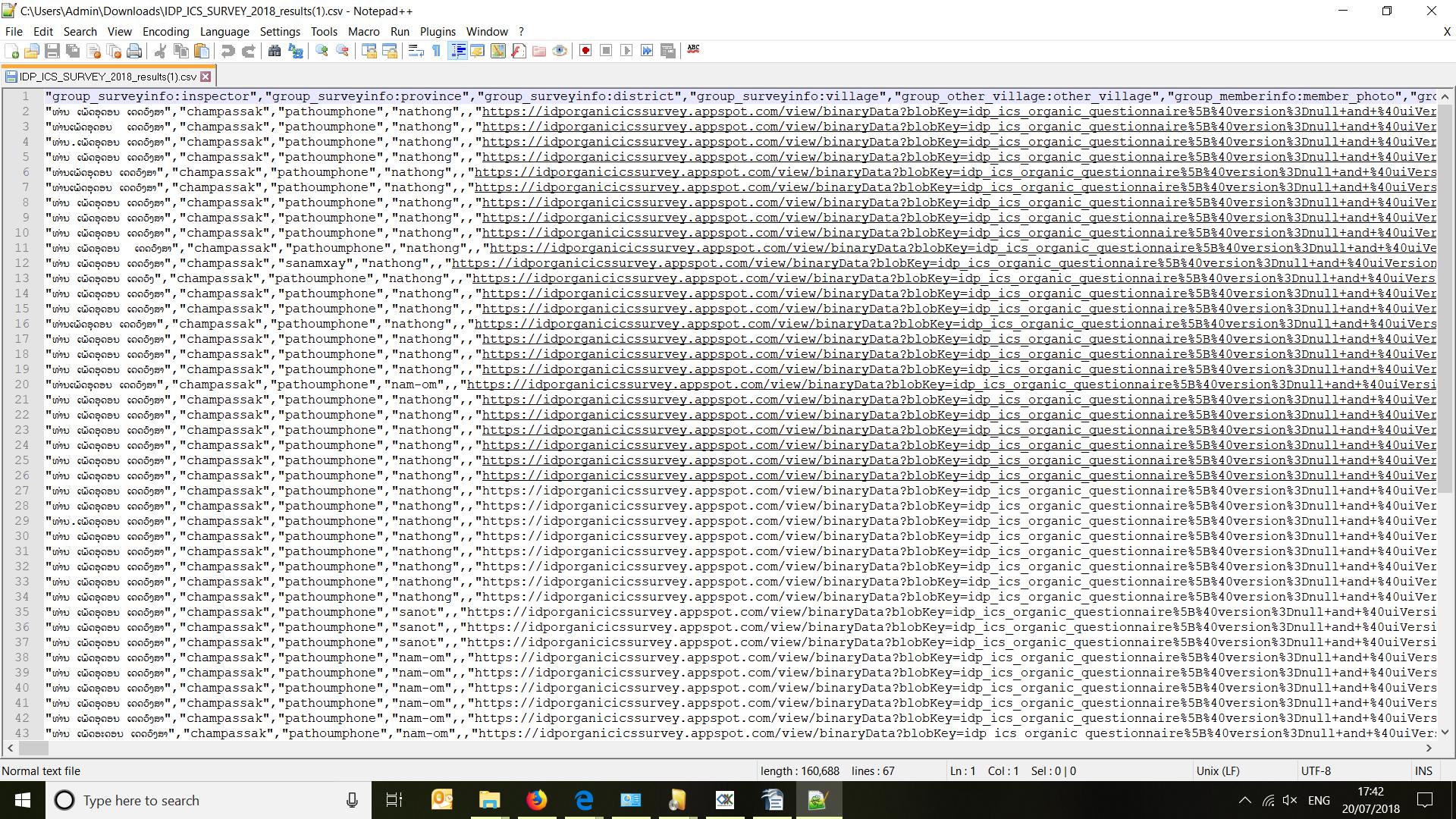
with hyperlinks in place of loops (but which shows well the Lao characters though....).
I can however use Briefcase for pulling/exporting.
That is what I did last year (with a very similar form and survey) I used Aggregate only to upload my form on the server (so that the Android devices could download the form), but then after that I completely "bypassed" it following this: https://docs.opendatakit.org/briefcase-using/#pulling-forms-from-collect then this: https://docs.opendatakit.org/briefcase-using/#export-forms-to-csv. And at that time I had no problem with lao characters. Note that the Briefcase version was an older one.
Actually let me explain step by step how I do:
- I upload my xml form onto Aggregate server
- our enumerators download the form on their Android devices using ODK Collect. THey carry on with their survey (all Lao characters show OK)
- I take each Android devices, pull the zip odk files to my computer with a cable
- I use Briefcase to pull the odk file from my computer (in the last version of Briefcase there are only 3 choices for "pull from", that is Aggregate server/Collect directory/Form definition. when I say I pull from my computer, that means I pull from "Collect directory")
- I use Briefcase to export into csv files.
When I follow this process, the csv files have the Lao characters problem.
When I do like you, I also have the character problem:
3) manually upload submissions onto Aggregate,
4) use Briefcase to pull ("Pull from: Aggregate server")
5) use Briefcase to Export into csv
Then the Lao characters again don't show properly in the csv (using notepad+++ software for example)...
That is why I think the problem comes from Briefcase (since when I export from Aggregate there are no problems...except that I don't get my csv files for each loop, therefore it is not an option for me).