@seewhy thanks heaps for the write-up!
We've been experimenting with one giant form with repeats, and it's indeed what many enumerators have suggested. This would be an absolutely viable solution if there were a good way to dive in and out of subgroups. A simple mock-up:
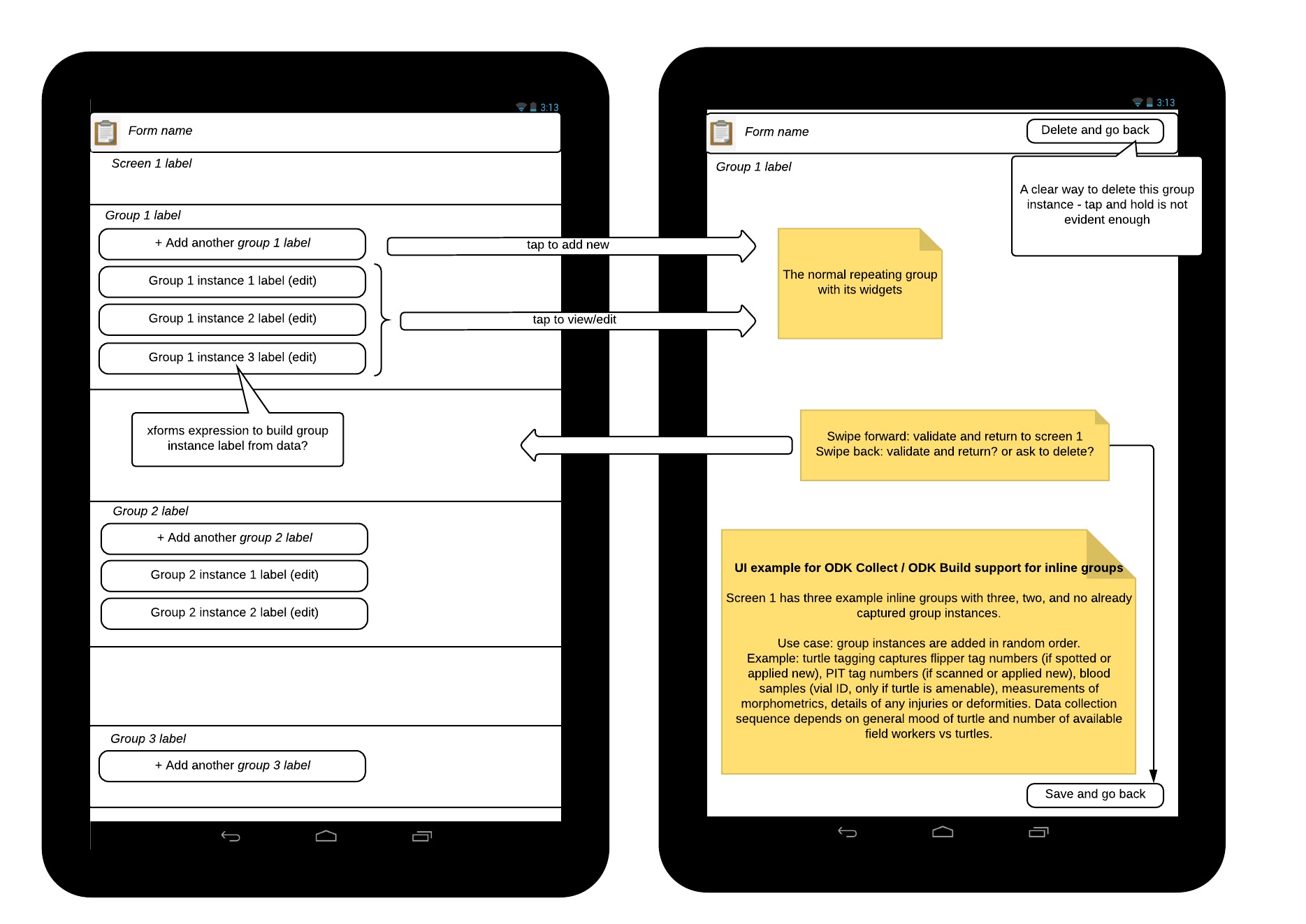
Real-world complication: device could fail/run out of battery/fall and shatter at any point in time. We always carry a spare device to take over enumeration. What would happen with an unsaved master form with core data in the "start of survey" part?
Our workflow:
- One start of survey form
- Four detail forms (let's call them observation A, B, C, and D)
- One end of survey form
During a survey, the enumerators could encounter e.g.:
- start of survey
- 52 x A
- 1 x B
- 37 x A
- 1 x B
- 24 x A
- 1 x C
- 140 A
- end of survey
A naive implementation in ODK Collect would be
- screen 1: start of survey
- screen 2, repeats: A
- screen 3, repeats: B
- screen 4, repeats: C
- screen 5, repeats: D
- screen 6: end of survey
Real-world complication: A has ~17 groups, some repeating. In the simplest scenario, A is done after the first screen. B is two screens. C is again ~10 groups, some repeating.
Navigating these screens in the current ODK Collect paradigm of sequential screens, "add another X group?" with tens or hundreds of subgroups already filled just to add another subgroup is probably less user-friendly than separate forms.
If the above use cases and complications have a solution, one nested form like you describe would be ideal. Thanks again for sharing, it's useful to learn about what works for others!