Thanks for the details on your solution for peat surveys!
(The best solution I can offer for peat is Tallisker.)
Great to hear about dynamic group names! Did you make them in ODK Build?
Indeed our forms are more complex, so nesting might create a navigation challenge.
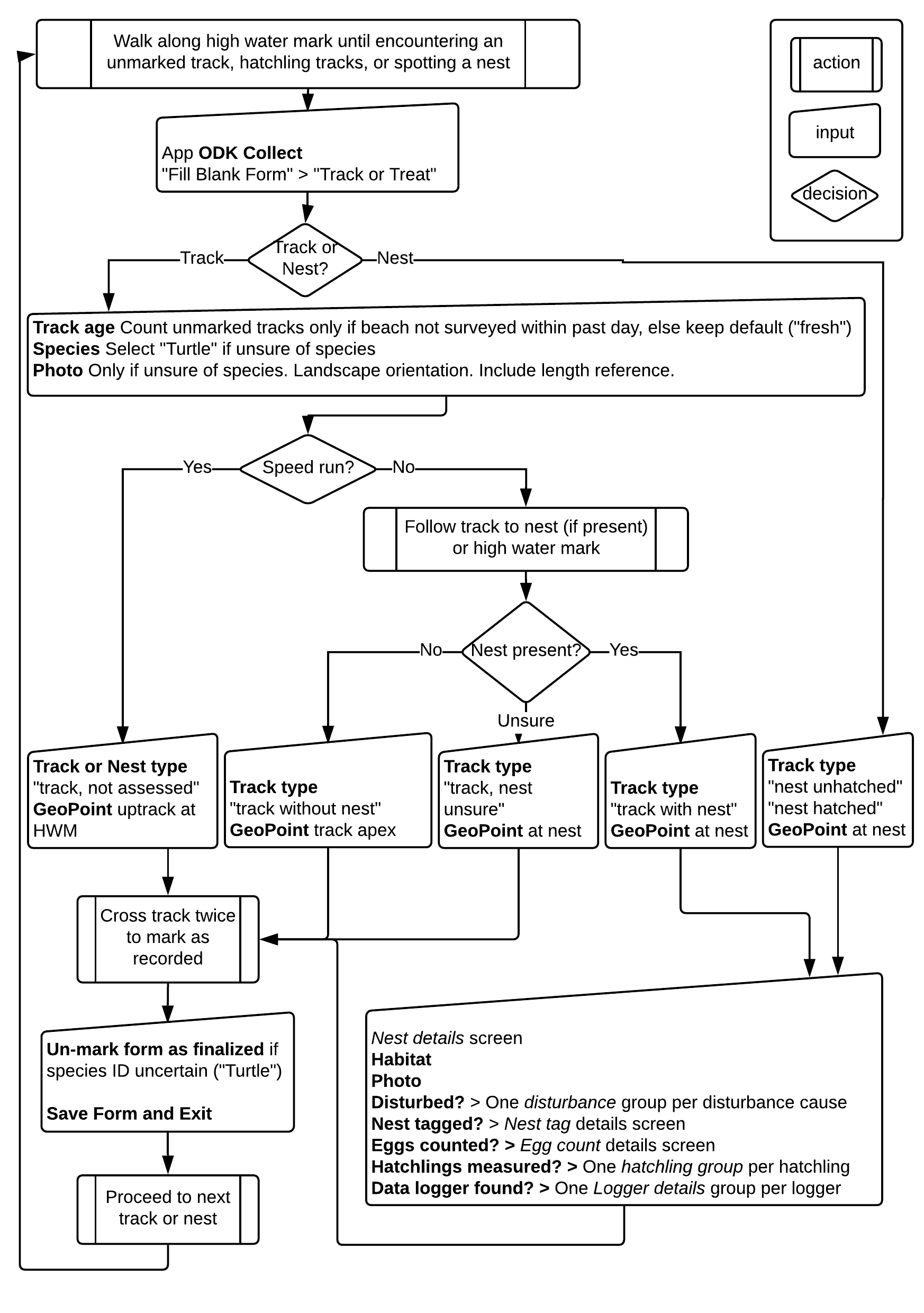
E.g. the main form (with 1 to 15-odd screens) has the following workflow: https://wastd.readthedocs.io/data_collection/data_collection_training.html#track-count-work-flow
It's of course about turtles: tracks (with/without/can't tell/maybe but didn't check for nests) of nesting female turtles observed in the early morning following a nesting night.
The only bad data we had was when we allowed to save unfinalised forms - those were forgotten in the outbox. Since then, we disabled anything but "save as finalised and send when wifi" and "discard".
Re mandatory fields: I only made the minimum viable dataset fields required - timestamp (via metadata form started), location (GPS button), subject (e.g. species), observer (via username). The rest is optional with safe defaults, e.g. "Disturbance present?" has options "confirmed present", "confirmed absent", and (default) "Didn't check" (NA under the bonnet).
I've also aggressively optimised the forms to have the minimum viable dataset on the first screen, with options to "unlock" subsequent screens as necessary.
Our volunteers are indeed amazing and invest a lot of personal effort in turtle census. At the same time it's a bucket list thing to do for visiting volunteers, and a special connection to their own location for locals. We also have Traditional Owners in affiliated ranger programs caring for country.
Cheers!